From Decision to First Journal Entry: How to Get Started with Dentio
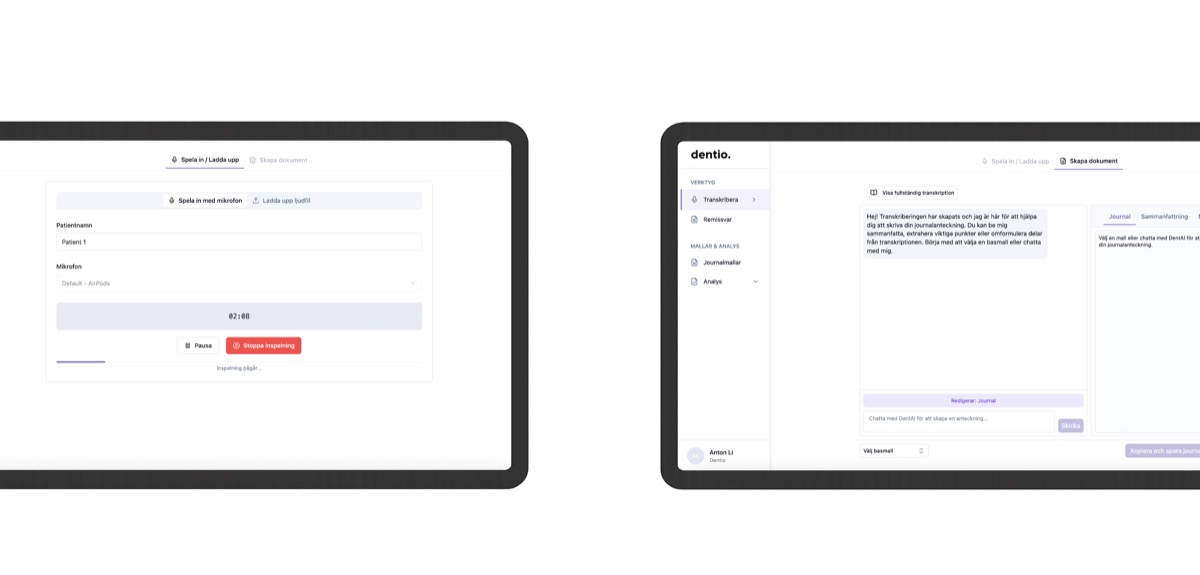
"Do I have time to learn yet another system?"
Many dentists hesitate when it comes to new technology. But implementing Dentio takes less time than going out for lunch.
No IT department. No hardware to order. No extensive training.
Here's how it actually works.
What You Need, and What You Don't
What surprises most people is how little is required:
- A computer with a web browser
- A microphone (we provide a USB microphone upon registration)
We've tested over 40 different microphones to find the one that provides the best sound sensitivity and capture ability in a clinical environment where background noise from suction, radio, and equipment is unavoidable. You can use your own microphone if you prefer, but for optimal results, we've already done the hardware testing for you.
No installation, no programs to download. Everything runs in the browser.
About 20 minutes from start to first journal:
- Create an account at dentio.io (2 minutes)
- Connect and test the microphone (3 minutes)
- Add your template (5 minutes)
- Complete a brief introduction to the interface (10 minutes)
Integration with Your Journal System
Using Muntra? We'll set up the API integration together with you during onboarding. Journal entries flow directly into Muntra without manual steps. You review, sign, and everything is automatically saved in the correct patient journal.
Using Frenda, Opus, Alma, or another journal system? Dentio works alongside your existing system. When the journal is ready, you simply copy the text and paste it into your patient's journal. It takes five seconds and requires no technical setup or approval from the IT department.
Simple, smooth, and works with all journal systems.
No Learning Curve: The System Adapts to You
You don't need to learn any new command structure or special order of saying things. Talk as you always have:
- "Do you have any complaints?"
- "46do composite"
- "Calculus LJ front"
- "Bleeding approximally 13-23"
Dentio understands the odontological context and structures the information according to dental care standards.
During the first week, something interesting happens. You review the journals carefully the first few days, correcting formulations where needed. After a few days, you notice the documentation starts sounding more and more like how you write yourself.
Dentio adapts: if you consistently change certain terms or structures, the system will start using your preference automatically. After one to two weeks, most users make minimal adjustments before signing.
Onboarding and Support
We offer a walkthrough of Dentio's features for all new users, both individually and for entire teams. During this session, we go through:
- The workflow
- Handling different types of documentation (journal entries, referrals, treatment plans, procedure codes)
- Practical questions about your specific clinic
- API connection and configuration (for Muntra users)
If questions come up later, you have direct access to our service and concise video guides for each feature. What matters most to us is that everything feels good for you.
What Can Actually Go Wrong?
In all honesty, there are a few things that can affect the experience:
- Microphone quality: If your own microphone picks up a lot of background noise or has poor quality, it can affect the results. That's why we recommend a dedicated USB microphone.
- Speaking volume: If you speak extremely quietly, the system may have difficulty hearing, but this is rare since most dentists talk in normal conversational tones with patients.
Some users expect the first journal to be 100% perfect without any review. That's not realistic. You need to read through and approve before signing, just like with all clinical documentation.
The difference is that you start from 95% complete instead of from zero.
But these situations are exceptions. 89% of new users report that getting started went smoother than expected.
Team Implementation: At Your Own Pace
If the entire clinic is going to start using Dentio, not everyone needs to start at the same time.
- The practice manager sets up basic settings (security, access, billing) once
- Each practitioner registers and starts using the system at their own pace
Many clinics do a soft launch where one or two dentists test first, show the results at the morning meeting, and then the rest of the team gets started when they feel ready.
Try Without Risk
You can try Dentio completely free for seven days. No commitment, no credit card required upon registration.
Written by Sana Rauf, dentist